
2D Animation Styles: Flat Design, Frame-by-Frame, Cutout and More
Choosing a 2D animation style looks like a creative decision. It is actually a strategic one. The style you select determines your production cost, delivery timeline, audience response, and whether the finished video drives the action you need. This guide covers eight distinct 2D animation styles: flat design, frame-by-frame, cutout, motion graphics, whiteboard animation, character rigging, kinetic typography, and isometric animation. For each style you will find how it works, which business goals it serves, real brand examples, verified cost tiers, and the honest case for when not to use it.
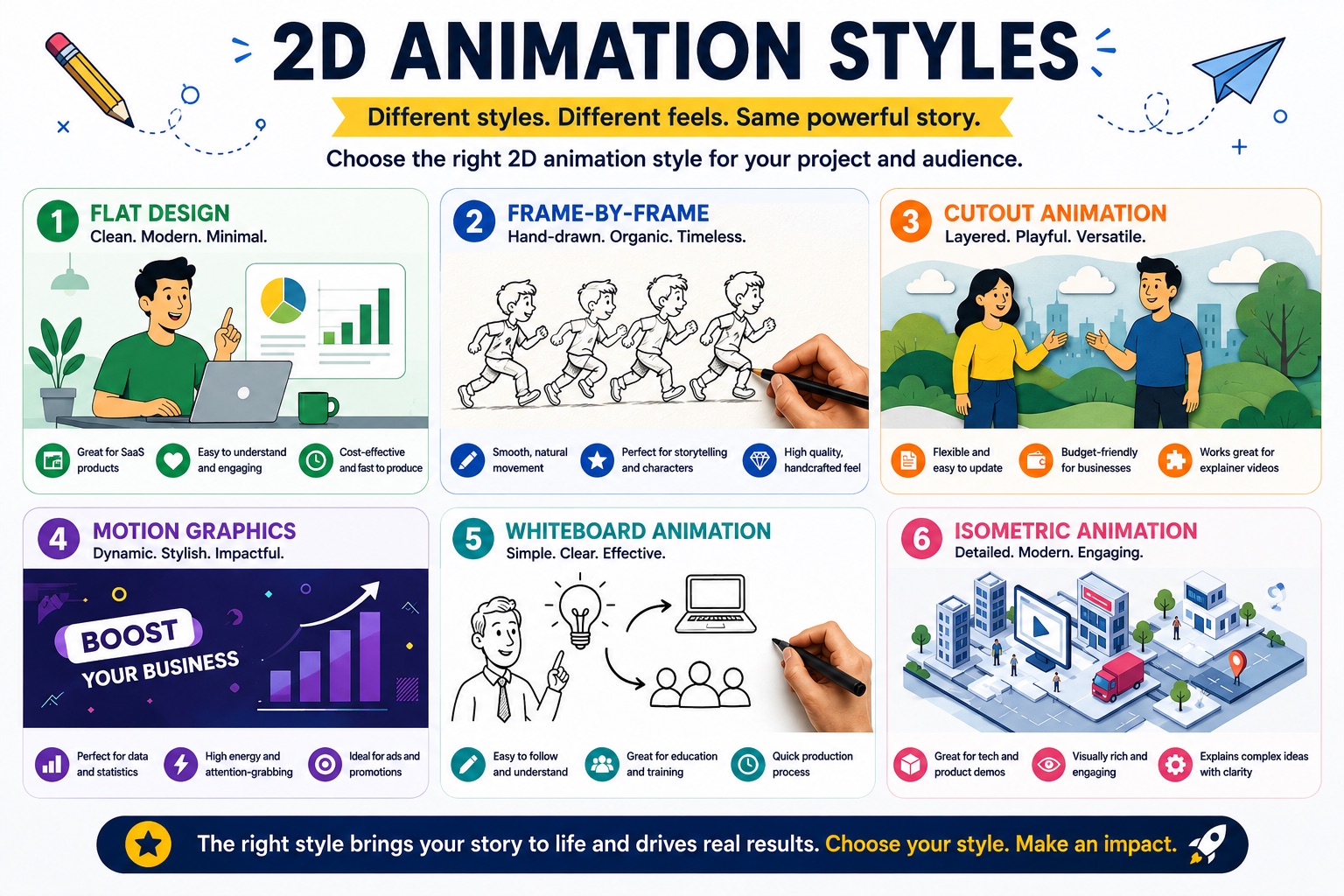
2D Animation Styles at a Glance
Before diving into the detail of each 2D animation style, the table below gives you the full comparison in one view. Cost ranges reflect professional studio rates per finished minute of animation. For a complete breakdown by provider type, video length, and hidden costs, see: How Much Does 2D Animation Cost?
| Style | Cost per Min (Studio) | Timeline (60 sec) | Best For | Complexity |
|---|---|---|---|---|
| Flat Design | $3,000–$8,000 | 3–6 weeks | SaaS, apps, fintech, B2B | Medium |
| Frame-by-Frame | $8,000–$25,000+ | 8–16 weeks | Premium brand, entertainment | Very High |
| Cutout / Puppet | $3,000–$7,000 | 4–8 weeks | Content series, social media | Medium |
| Motion Graphics | $1,000–$5,000 | 2–4 weeks | SaaS UI demos, data, tech | Low–Mid |
| Whiteboard | $1,500–$4,000 | 2–4 weeks | Training, education, HR | Low |
| Character Rigging | $4,000–$12,000 | 5–10 weeks | Brand mascots, ongoing series | High |
| Kinetic Typography | $500–$2,500 | 1–2 weeks | Social ads, launches, awareness | Low |
| Isometric | $4,000–$10,000 | 5–8 weeks | Enterprise tech, SaaS infrastructure | High |
What Separates One 2D Animation Style From Another?
Every 2D animation style makes a different trade-off between production cost, visual complexity, emotional range, and information clarity. A motion graphics video communicates product logic cleanly but does not create emotional connection. A frame-by-frame animation creates craft and emotional depth but is prohibitively expensive for most marketing budgets. Understanding what 2D animation is and how production works is the foundation for choosing the right style for your goal.
The eight 2D animation styles in this guide are not interchangeable. Each emerged from a specific production context, serves a specific audience response, and carries a different production cost structure. The most common and expensive mistake businesses make when commissioning 2D animation is choosing a style based on what they like visually, rather than what converts for their specific use case and target audience.
According to the Wyzowl State of Video Marketing 2024 report, 93% of businesses now use video as a marketing tool and 87% say it has directly increased sales. The question is no longer whether to invest in video. The question is which 2D animation style delivers the best return for your specific brief. The sections below answer that, style by style.
The Eight 2D Animation Styles: Detailed Breakdown
Flat design animation uses simplified 2D characters, minimal shading, bold colors, and clean vector shapes. No textures, no gradients, no simulated depth. The design language was cemented by Google's Material Design guidelines and Apple's iOS 7 redesign in 2013, and it became the default visual language for digital-native brands in the decade that followed. In the 2D animation landscape, flat design is now the most commonly commissioned style for business marketing, product explainers, and investor communications.
In flat design character animation, each character is drawn as a collection of geometric shapes assembled into a recognizable figure. Limbs are simple rectangles or ovals, faces are expressive but minimal, and environments are composed of flat color fields rather than illustrated detail. The simplicity is deliberate and functional: it reduces cognitive load for the viewer, making it easier to focus on the message rather than the visual complexity. This is why flat design consistently outperforms more complex styles in audience testing for marketing videos.
Production begins in vector illustration software (Adobe Illustrator or Figma), then moves to Toon Boom Harmony or After Effects for animation. A standard flat design character requires 2 to 4 days of design and rigging before a single frame of animation begins. The investment pays off through reusability: the same character rig carries across an entire video series, reducing per-episode cost by 30 to 50% from the second video onward.
Why major brands choose flat design: Slack, Dropbox, Airbnb, Mailchimp, and Headspace all use flat design as their primary animation style. The style communicates friendly accessibility, modern digital confidence, and product clarity simultaneously. It scales to any format without visual detail loss, which matters for brands distributing across homepage hero video, Instagram Stories, LinkedIn ads, and mobile onboarding screens at the same time.
Avoid flat design if your brand is built on heritage, craft, luxury, or tradition. Flat design reads as digital and modern, which can work against a brand story built on decades of expertise, handmade quality, or premium positioning. High-end spirits, artisan producers, and heritage financial brands often find that the style undermines rather than supports their brand perception. For these contexts, frame-by-frame animation or a custom illustrated style with hand-drawn textures is the more aligned choice.
Frame-by-frame animation means every single frame is drawn individually. At 24 frames per second (the cinema standard), a 60-second video requires 1,440 unique drawings if animated on "ones" (each frame distinct). Most professional productions use "twos," meaning one drawing per two frames, which produces 720 drawings per 60 seconds. It is the original method of all animation and still the most labour-intensive 2D animation style by a significant margin.
Disney feature films, Studio Ghibli productions, and the indie game Cuphead (Studio MDHR, 2017) are all produced using frame-by-frame animation. Cuphead's release demonstrated that contemporary audiences respond powerfully to the quality and personality of hand-drawn animation. The distinctive rubber hose style of 1930s animation it revived became one of the most cited aesthetic references in the industry, proving the format had not just survived but grown in cultural currency.
In 2026, AI tools assist with in-betweening (generating the frames between a senior animator's key poses) and line cleanup (refining line consistency across frames). These tools reduce some labour at the technical stages but do not replace the core creative work. A frame-by-frame production at professional studio level still takes 8 to 16 weeks for a 60-second video. The time is visible in every frame and that visibility is precisely the point.
Frame-by-frame animation works in both digital and physical media. Digital frame-by-frame is drawn on a tablet in Clip Studio Paint or Toon Boom Harmony. Traditional frame-by-frame is drawn by hand on paper, then scanned, cleaned up, and composited digitally. Both methods produce the same characteristic fluid, slightly imperfect motion that audiences associate with care and craftsmanship. That quality signal is impossible to manufacture by any faster means.
Do not commission frame-by-frame animation if you need a fast-turn explainer, are working within a standard marketing budget, or need to communicate a feature list or product workflow. Frame-by-frame is the right choice when the craft IS the message. It is not cost-efficient for explaining how a SaaS product works or demonstrating a mobile app feature. If your brief is conversion-focused and your timeline is under 8 weeks, flat design character animation or motion graphics will deliver better value.
Cutout animation pre-illustrates characters as separate body parts (head, torso, upper arm, lower arm, hand, upper leg, lower leg, foot) and moves them like paper dolls. The technique was originally done literally: the animators at Monty Python and early South Park cut physical paper shapes and repositioned them between frames. Modern cutout animation uses exactly the same principle but executes it digitally inside Toon Boom Harmony or After Effects.
In digital cutout animation, each body part is a separate layer built in Illustrator or Photoshop, imported into the animation software as a hierarchical puppet rig. The animator poses the character by moving each part into position at each keyframe, and the software interpolates movement between positions. Unlike character rigging (which uses a smooth bone system), basic cutout animation has a characteristic "jointed" look at the connection points between body parts. This quality is part of the style's identity.
The economic advantage of cutout animation becomes clear over multiple episodes. Building the character rig for episode one requires a full investment in design and setup. Episodes two through twelve use the same rig with only new scenes and dialogue recorded, cutting per-episode production time by 40 to 60%. This is why South Park, which produces 10-plus episodes per season, uses cutout animation: it makes high-volume character content financially viable. The same logic applies to brands running an ongoing social media character series or educational content programme.
For a single video without a series plan, flat design character animation with a full rig typically delivers better visual quality at a comparable cost. Cutout animation earns its place across three or more episodes. Brands starting an ongoing character presence should choose their 2D animation style with that series in mind from the first video.
Avoid cutout animation when smooth, fluid character movement is central to brand perception. The jointed quality at limb connections can read as low-budget to audiences accustomed to full character rigging or frame-by-frame fluidity. For single-video brand work or homepage explainers, a fully rigged flat design character delivers significantly better visual quality at a comparable cost. Reserve cutout animation for series production where the asset economics justify the style trade-off from the start.
Motion graphics are animated graphic design elements: text, shapes, icons, data visualizations, and UI mockups in motion. There are no character elements. Motion graphics communicate information through design movement rather than through character emotion or narrative. It is the dominant 2D animation style in the technology and SaaS sector, and for good reason: it is the most direct way to show how a product interface works, how data flows through a system, or how a process unfolds step by step.
Motion graphics are built in Adobe After Effects, often paired with Adobe Illustrator for the static design elements. Animated data charts, infographic sequences, and UI screen recordings use After Effects expressions and plugins to produce precise, timed motion that communicates at a glance. A skilled motion graphics animator can produce 5 to 10 seconds of finished content per day for complex data sequences, or 20 to 30 seconds per day for simpler graphic transitions.
Apple product launch videos, TED-Ed explainers, and Vox's editorial explainer series all rely on motion graphics as their primary visual language. For B2B companies, motion graphics is the default format for LinkedIn video ads because it communicates clearly at low sound volume (most LinkedIn video is watched without audio) and renders crisply at small screen sizes on both desktop and mobile.
The limitation of motion graphics as a standalone 2D animation style is emotional range. It communicates information effectively but does not create brand affinity or emotional connection. A motion graphics video explaining a financial product will communicate the product logic, but it will not generate the warmth that drives trust and long-term preference. If emotional connection is central to the brief, combine motion graphics with flat design character elements, or switch entirely to flat design character animation.
Do not use motion graphics alone when emotional connection, brand warmth, or storytelling is central to the brief. Motion graphics excels at information and process communication. It does not create the emotional resonance that drives brand preference, purchasing decisions, or long-term loyalty. If you are launching a consumer product, building a brand character, or operating in a category where trust is the primary purchase driver (healthcare, financial advice, personal care), motion graphics without character elements will leave the emotional dimension of your brief completely unfilled.
Not sure which 2D animation style fits your brief? Magic Motion Studio has produced flat design, motion graphics, character rigging, and isometric animation for SaaS companies, technology brands, and consumer businesses. See our SaaS explainer video and startup explainer video production pages, or see how we approach explainer video production, or jump directly to the 2D animation style decision framework at the end of this guide.
Whiteboard animation simulates a hand drawing on a white background in real time, synchronized to a voiceover that explains what is being drawn. Common Craft popularized it for explainer content in 2007 and RSAnimate (the Royal Society of Arts) made it famous with the Ken Robinson talk that has over 24 million YouTube views. Both of those landmark productions are now 15-plus years old. The 2D animation style has not fundamentally changed since.
Whiteboard animation is produced in dedicated tools like VideoScribe or built as a custom progressive-reveal composition in After Effects. The "hand" element is a separate layer composited over the drawing reveal. True physical whiteboard animation (a camera above a real drawing surface) is rare in 2026 because the production complexity does not produce a meaningfully better result than a well-crafted digital simulation.
The 2D animation style works well for its intended context: training materials, HR onboarding, educational explainers, nonprofit storytelling, and public sector communications. These are audiences in a learning mindset, willing to follow a sequential visual explanation over 2 to 4 minutes. The style signals "this is educational content" and primes that receptive state in the viewer. Within that context, it remains one of the clearest formats available.
The challenge is that whiteboard animation was also used exhaustively as a marketing format between 2010 and 2016. A large proportion of startup and SaaS explainer videos from that era used whiteboard animation because it was fast, cheap, and effective at the time. In 2026, audiences associate the format with that era. In a customer-facing context, it reads as dated regardless of the production quality invested in it.
Do not use whiteboard animation for customer-facing marketing, brand campaigns, product launches, or any context where brand sophistication matters to your audience. The 2D animation style peaked as a marketing tool around 2012 to 2016. In 2026, a whiteboard explainer on a SaaS homepage or in a paid campaign reads as a budget choice, not a design choice, regardless of actual production cost. For customer acquisition and brand building, choose motion graphics or flat design character animation. Whiteboard remains appropriate for internal education. It is not appropriate for conversion-focused marketing.
Character rigging is the professional evolution of cutout animation. Instead of repositioning separate body part layers manually, the animator builds a full digital skeleton inside Toon Boom Harmony or After Effects: bones, controllers, inverse kinematics chains for limbs, and facial shape layers for expression morphing. The rig gives the character smooth, natural-feeling movement because the software handles the physical logic of how joints connect and weight distributes across a moving form.
The result is the 2D animation style used by full television productions. Archer (FX), Gravity Falls (Disney), and the character work in most premium streaming platform original 2D series are all produced with character rigging. At the professional studio level, character rigging produces animation that is visually indistinguishable from what audiences associate with broadcast production quality. For a brand, this is a significant signal: your marketing video looks like the same calibre of production that viewers watch on streaming platforms.
The practical application for business is the brand mascot or brand character system. Duolingo's owl, Mailchimp's Freddie, and numerous other brand mascots all live in character-rigged animation. Once a rig exists, it can be used across every format the brand produces: homepage video, social ads, onboarding sequences, email campaigns, and seasonal promotions. The rig becomes a long-term brand asset rather than a single video deliverable, and that asset compounds in value with every piece of content it appears in.
For more on how character rigging affects production scheduling, see: How Long Does 2D Animation Take? The timeline is front-loaded on the first production where the rig is built. Subsequent episodes with the same character are significantly faster to produce.
At Magic Motion Studio, character rigging is produced in Toon Boom Harmony, the same software used by major broadcast and streaming studios. The fidelity of character physics and movement achievable in Toon Boom Harmony is measurably higher than what is possible in After Effects rigging alone, and that difference is visible in the finished animation.
Do not commission a full character rig for a single one-off video with no series roadmap. The upfront investment in building a high-quality character rig is substantial, and it is justified by long-term reuse across multiple videos. If you need one explainer video and have no plan for subsequent videos with the same character, flat design character animation with a simpler rig delivers comparable results at lower cost. Character rigging pays for itself from the third or fourth video onward. Brief with a series in mind before you choose this 2D animation style.
Kinetic typography is animated text: words that move, reveal, scale, cut, and choreograph to a voiceover or music track. There are no illustration or character elements. The motion IS the content. As a 2D animation style it is one of the oldest in motion design, pioneered by Saul Bass in title sequences of the 1950s and 60s. It is also one of the most widely used in contemporary social media advertising precisely because it is the fastest and cheapest form of video content to produce.
Kinetic typography is built in After Effects with word-by-word or character-by-character animation keyframed to audio. In 2026, AI tools can analyse the audio track and suggest timing markers, accelerating the kinetic choreography stage. Typographic design matters enormously in this 2D animation style: font choice, size, weight variation, and color are the only visual elements available, so each decision carries more weight than in any style that also uses illustration. A kinetic typography piece with poor typographic judgment reads as amateur regardless of animation quality.
Apple's "Shot on iPhone" campaign typography, numerous Instagram Story ad campaigns, TEDx conference intro sequences, and LinkedIn video ad creative all use kinetic typography as a primary format. The style works on social platforms because it communicates its message without audio (the text is self-explaining) and at small screen sizes (bold type reads at any resolution).
The production economics are the most favorable of any 2D animation style. A 30-second kinetic typography piece can be produced in 3 to 5 working days. There is no illustration to commission, no character to rig, no asset library to build. The speed advantage makes kinetic typography the right format for time-sensitive campaign content, A/B testing multiple creative approaches, or producing at high volume for a social content calendar without the budget of a full animation production.
Kinetic typography cannot explain how something works. If your brief requires showing a product, demonstrating a workflow, introducing a character, or building an emotional case for your brand, kinetic typography is not sufficient on its own as a 2D animation style. It communicates mood, energy, and brand voice. It does not communicate product logic or drive considered purchase decisions. Use it for top-of-funnel awareness and social amplification. For homepage explainers and conversion-focused campaigns, use motion graphics or flat design character animation instead.
Isometric animation illustrates from a fixed 45-degree overhead perspective that creates a three-dimensional-looking world entirely within 2D space. It looks architectural and precise, like a LEGO diorama viewed from above. The visual grammar is mathematically strict: all elements sit on an isometric grid, horizontal lines run at 30 degrees and vertical lines run straight. The result is a world that feels structured, systematic, and engineered.
Isometric illustration is drawn in Adobe Illustrator using isometric grid plugins or manually constructed geometry. Animating an isometric scene requires moving elements along isometric axes rather than standard horizontal and vertical directions, which creates an additional layer of technical precision in After Effects. Scene transitions use camera-style movements (zoom, pan, depth shifts) that feel like navigating through a three-dimensional system, even though everything exists in 2D.
This 2D animation style is the visual language of enterprise software, cloud infrastructure, supply chain platforms, and cybersecurity companies. Asana, Notion, and numerous cloud and SaaS infrastructure providers use isometric animation in product marketing because the architectural precision of the style aligns with how their target audience (enterprise decision makers, technical buyers, IT managers, and procurement teams) evaluates products.
Isometric animation communicates complex system relationships with more visual clarity than a standard flat diagram or a character-based metaphor. How data flows between servers, how users interact with platform modules, how a supply chain connects suppliers and distributors: all of these can be depicted in isometric 2D animation with a visual precision that other 2D animation styles cannot match at the same level of technical detail.
Avoid isometric animation for consumer-facing content, emotional storytelling, or any brief where warmth and accessibility are the primary brand signals. The architectural precision of the style reads as technical and systematic, which is a strength for enterprise software and a limitation for consumer brands. A fitness app, a food delivery service, a children's education platform, or any brand whose purchase decision is driven by emotional connection would be better served by flat design character animation, which delivers emotional engagement at a comparable cost and with a faster production timeline.
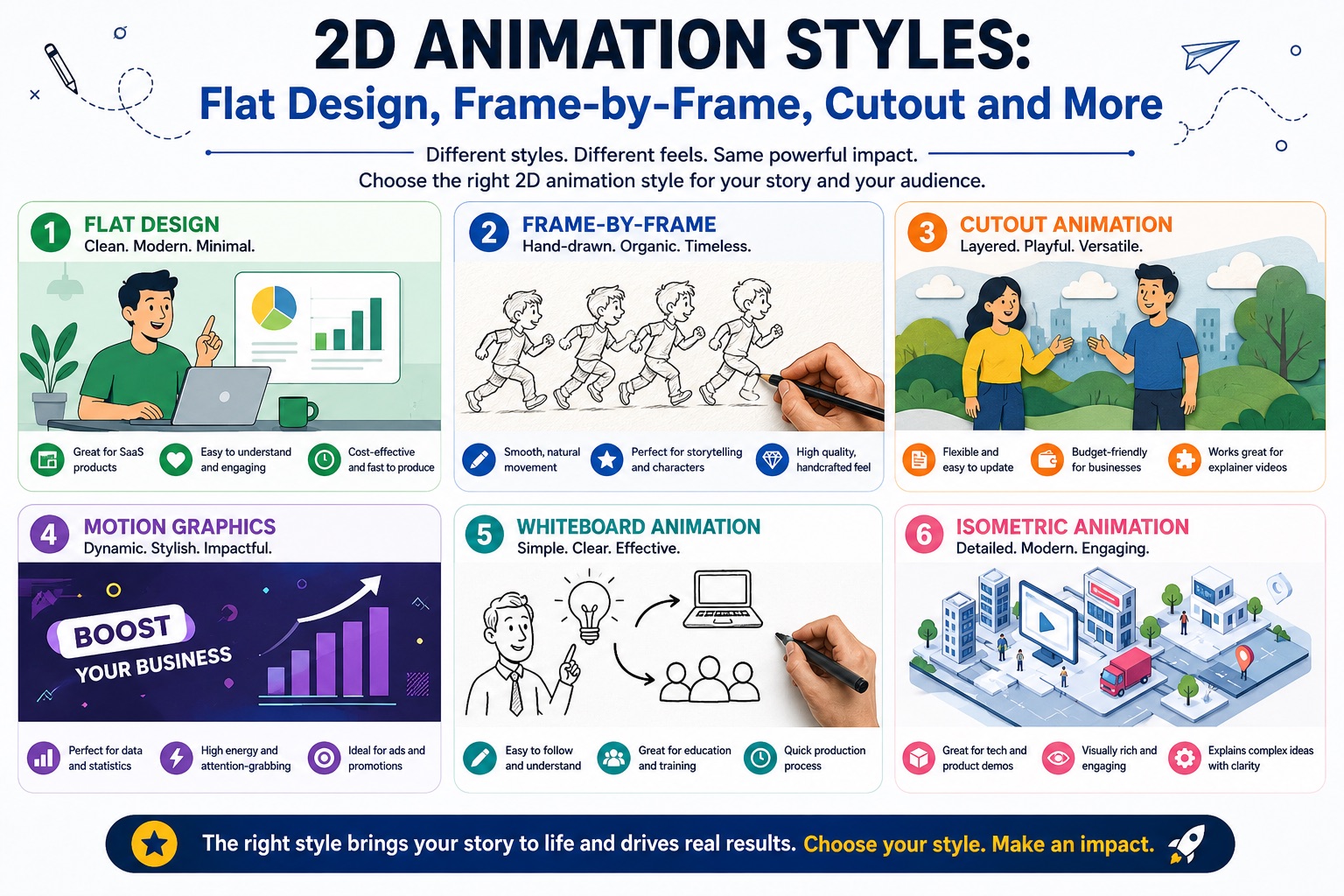
Which 2D Animation Style is Right for Your Business?
The right 2D animation style is determined by three factors: your business goal, your target audience, and your production budget. No style is universally superior. Each serves a specific context. The framework below maps the eight most common business animation briefs to the style that historically delivers the strongest outcome for each.
This decision framework is based on production experience across SaaS, technology, consumer goods, and enterprise clients. For a comparison between 2D and 3D animation, see: 2D Animation vs 3D Animation. For the difference between animation and motion graphics, see: 2D animation vs motion graphics and what are motion graphics. For SaaS-specific animation strategy, see: explainer videos for SaaS companies, how to explain a complex SaaS product, and SaaS onboarding vs explainer video. For production planning, see our explainer video storyboard guide, animation timeline breakdown, explainer video pricing guide, how long an explainer video should be, and how to measure explainer video ROI.
Explain a SaaS or software product
Motion graphics for UI and data flow; flat design character animation for use-case storytelling. Combine both for complex products with a human story and a technical workflow.
Convert visitors on a homepage or landing page
Flat design delivers emotional connection and product clarity in the same video. Documented conversion results: Dropbox (10% lift), Crazy Egg (64% lift), Headspace (app growth). See the conversion examples guide.
Build an ongoing brand character
Character rigging for premium brand mascot series with broadcast-quality movement. Cutout animation for high-volume content at lower per-episode cost from episode two onward.
Social media awareness and paid ads
Kinetic typography for top-of-funnel awareness and brand energy. Motion graphics for ads where the audience needs to understand the product offer before clicking.
Train employees or onboard users at scale
Whiteboard for sequential educational content with an internal or educational audience that expects and accepts the format. Motion graphics for product onboarding and training delivered at scale through a platform.
Signal premium brand quality
Frame-by-frame is the only 2D animation style where the craft is immediately and undeniably visible. Use it when the production quality itself is part of the brand message, not just a container for it.
Explain enterprise tech or infrastructure
Isometric communicates system architecture, data flow, and platform complexity with a precision that flat design or character animation cannot replicate at the same level of technical detail.
Produce a high-volume ongoing content series
Cutout assets are built once and reused across every episode. Per-episode production time drops 40 to 60% from episode two onward, making high-volume character content economically viable.
Most clients start with one video and discover they want a series. Brief with that possibility in mind from the start: choosing a riggable character style for episode one saves significantly more than starting with a simpler format and rebuilding the asset base later. For verified production timelines across all styles, see: How Long Does 2D Animation Take?
Why Businesses Choose Magic Motion Studio
We are a specialist 2D animation studio producing flat design, motion graphics, character rigging, and isometric animation for SaaS companies, technology brands, and consumer businesses. For SaaS teams choosing between video formats, see our SaaS onboarding vs explainer video guide and how to use explainer videos in a sales funnel. We use Toon Boom Harmony, the industry-standard production tool used by broadcast and streaming studios. Every frame is produced in-house. We do not outsource.
All 8 Styles In-House
Flat design, motion graphics, character rigging, frame-by-frame, kinetic typography, and isometric all produced by our in-house team. No subcontractors, no offshore production.
Toon Boom Harmony Studio
The same production tool used by broadcast and streaming studios. Most studios at the mid-price point use template platforms or After Effects alone. We do not.
Style Recommendation Included
We recommend the right 2D animation style for your business goal before you sign anything. You do not need to decide which style you want before briefing us.
14 Business Days Standard
Standard delivery for a finished 60 to 90 second explainer. Faster than the industry average of 4 to 8 weeks. No rush surcharge at the standard timeline.
Frequently Asked Questions About 2D Animation Styles
What is the most popular 2D animation style for business?
Flat design character animation is the most widely used 2D animation style for business marketing. Its clean lines, bold colors, and minimal detail make it cost-effective to produce, fast to adapt for different formats, and highly legible at any screen size. Brands including Slack, Dropbox, Mailchimp, Airbnb, and Headspace all use flat design as their primary animation style for marketing and product explainer videos. According to the Wyzowl 2024 report, 93% of businesses now use video as a marketing tool, and flat design character animation is the dominant format businesses invest in.
What is the difference between flat design animation and motion graphics?
Flat design animation includes animated characters with personality and expressive movement, while motion graphics focuses on animated shapes, text, icons, and data visualizations without character elements. Both use a 2D vector design language, but flat design animation creates emotional connection through character, while motion graphics communicates information through design logic. Motion graphics is generally faster and less expensive to produce than flat design character animation, but it lacks the emotional range that drives audience connection and brand preference.
Which 2D animation style is cheapest to produce?
Kinetic typography is the lowest-cost 2D animation style at any production tier, followed by whiteboard animation and motion graphics. Kinetic typography requires no illustration and can be delivered in 1 to 2 weeks. Whiteboard and motion graphics require design but no character rigging. Frame-by-frame (traditional) animation is the most expensive 2D animation style due to the labour required per individual frame. For a full cost breakdown by style and provider type, see: 2D Animation Cost Guide.
Is frame-by-frame animation still used professionally in 2026?
Yes, frame-by-frame animation remains very much alive in professional production. The indie game Cuphead (Studio MDHR, 2017) demonstrated that contemporary audiences respond powerfully to hand-drawn animation, and the format has continued to grow in cultural currency since. Many premium brand campaigns, cultural institutions, and entertainment productions still commission frame-by-frame work because the handmade quality is impossible to replicate with digital rigging. In 2026, AI tools assist with in-betweening and cleanup, but the core drawing work remains human-led.
What animation style does Slack use?
Slack uses flat design character animation for their marketing explainer videos and product demos. The style features simplified characters with bold colors, minimal detail, and smooth rigged movement. It is a deliberate strategic choice that aligns with Slack's brand positioning as a friendly, accessible workplace tool. The visual simplicity also ensures the animation renders clearly at every size, from desktop homepage hero video down to mobile thumbnail.
How do I choose the right 2D animation style for my business?
Start with your business goal, not your style preference. For SaaS and B2B product explainers: flat design or motion graphics. For employee training and education: whiteboard or motion graphics. For a premium brand campaign: frame-by-frame animation. For an ongoing social content series with a brand character: cutout or character rigging. For data-heavy or enterprise tech content: motion graphics or isometric animation. The decision framework in this guide maps all eight 2D animation styles to specific business goals. Magic Motion Studio also provides a style recommendation as part of every initial brief at no charge.
Can I mix 2D animation styles in one video?
Yes, style combinations are common in professional production. The most effective combination is flat design character animation with motion graphics data sequences: the character sections build emotional connection while the motion graphics sections communicate product UI or process data clearly. Mixing frame-by-frame with motion graphics also appears in premium brand work. The key constraint is visual consistency: both style elements must share a color palette, typography, and overall design language to feel intentional rather than inconsistent. A mixed-style video designed with a coherent visual system performs better than a single-style video with a weaker design foundation.
Tell Us Your Brief
Not sure which 2D animation style is right for your project? We will recommend the right style for your business goal and send a production plan within 24 hours. No commitment required.
Related Guides
- What Is an Explainer Video? Types, Styles and Examples
- What Is 2D Animation? Complete Guide for Businesses
- 2D Animation vs Motion Graphics: Which Should You Choose?
- What Are Motion Graphics? Guide for Businesses
- How Long Does 2D Animation Take to Produce?
- Explainer Video Examples That Convert: 12 Real-World Results
- 2D Animation Cost: Complete Pricing Guide for Businesses